Skip to content

eTools Markets

Commodity prices in one place

00_Load-Markets-Header

Follow and visualise spot and forward prices, without jumping between websites. For power, natural gas, CO2, oil and coal, across multiple countries.

Track. Analyse. Decide.

Who Markets is built for

The companies with large energy exposure

Large energy consumers

Energy-intensive industry and large enterprise

  • Need market transparency for procurement and budgeting
  • Compare current prices with historical levels

Power producers (IPPs)

Generation assets operations & marketing their production

  • Need a reliable market value reference for their own marketing
  • Compare spot and forward levels to choose the right sales timing

Energy suppliers & utilities

Energy procurement for end customers and tariff design

  • Monitor wholesale prices as a basis for tariff decisions
  • Identify  the right moment for new tariffs or adjustments

The people who manage it

Procurement / Portfolio Manager needs:

  • A quick overview of current price levels
  • The right timing for hedging decisions

Commercial / Trading needs:

  • Current orientation for price offers and customer discussions
  • Clear charts for internal and external alignment

Analysis / Reporting needs:

  • Consistent, exportable time series
  • Comparability across markets and commodities

Management / Head of Energy needs:

  • A calm market overview without unnecessary detail
  • Reliable numbers for internal alignment

eTools Markets
key functions

01_Charts-Border

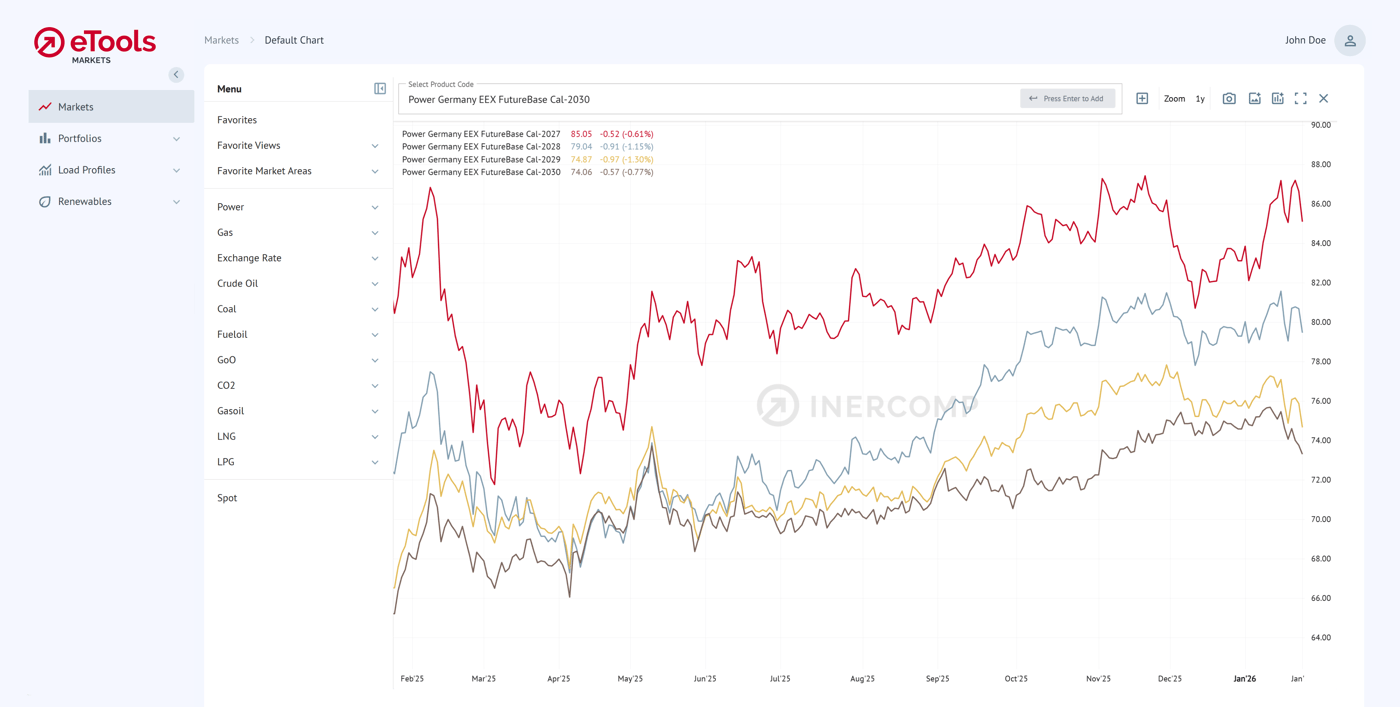
Visualise prices in one chart

Build clear charts with multiple price series, across delivery years or markets. Zoom in/out and use chart or table view. Export or pull data via API.

02_Favorites-Border

Save your favourite views

Create watchlists and save chart setups: markets, products, time range and indicators. Open your standard view in one click.

03_Spot-Border

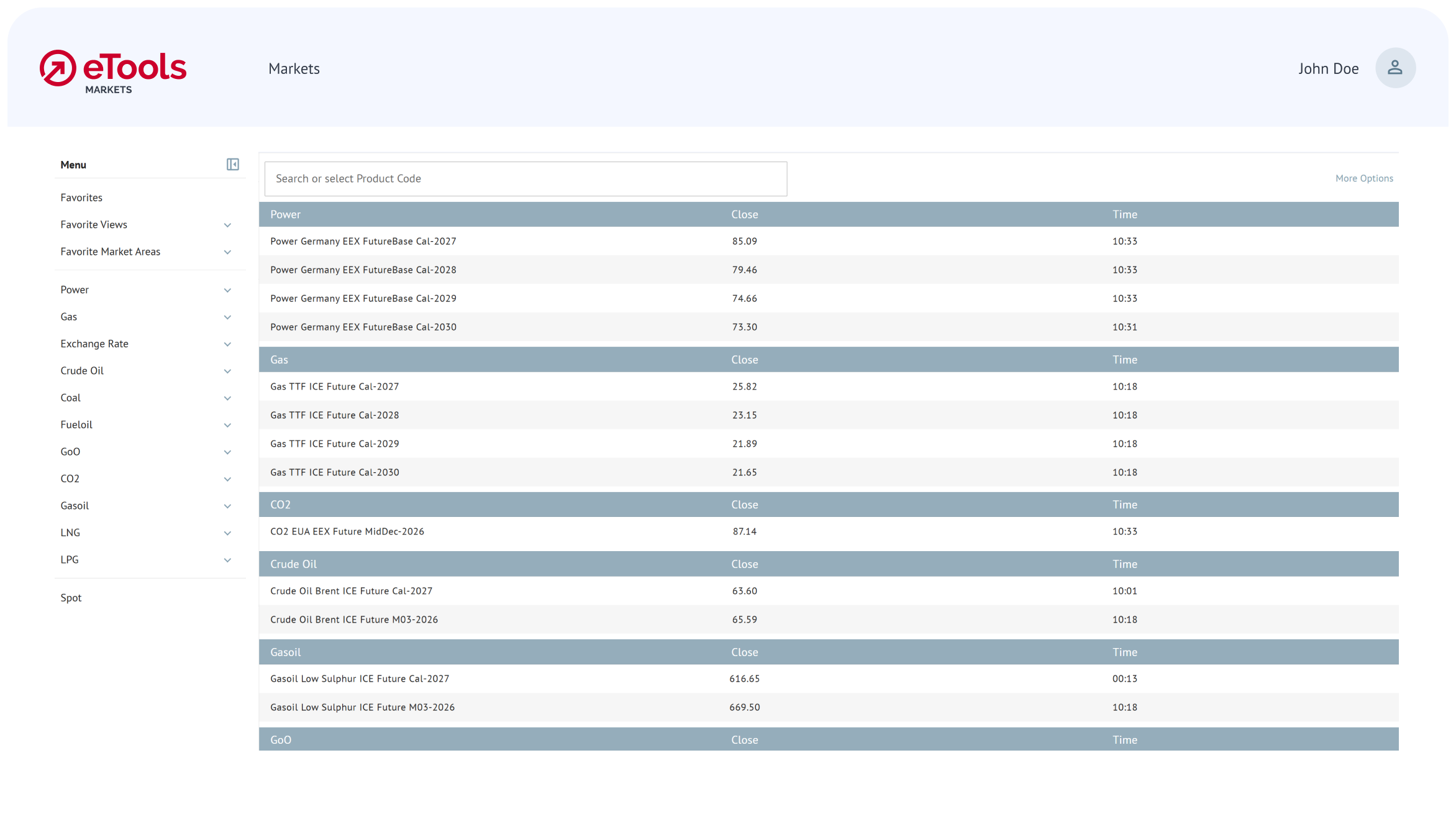
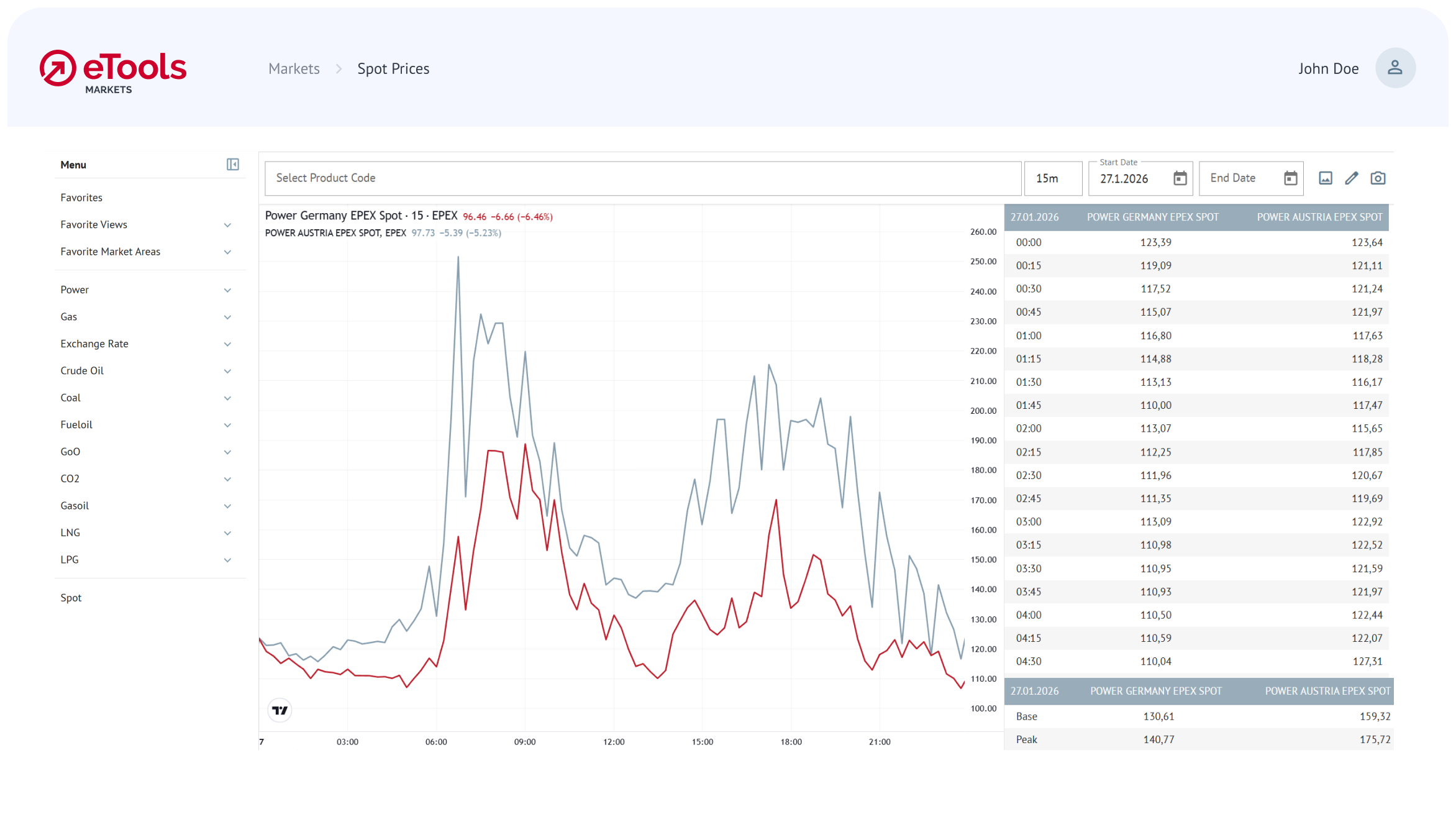
Track spot and forward prices

Follow spot and forward prices side by side: across Europe, for power, gas, CO2, oil and coal. See current level, last close and % change vs. the previous trading day.

04_Technical-Chart-Border

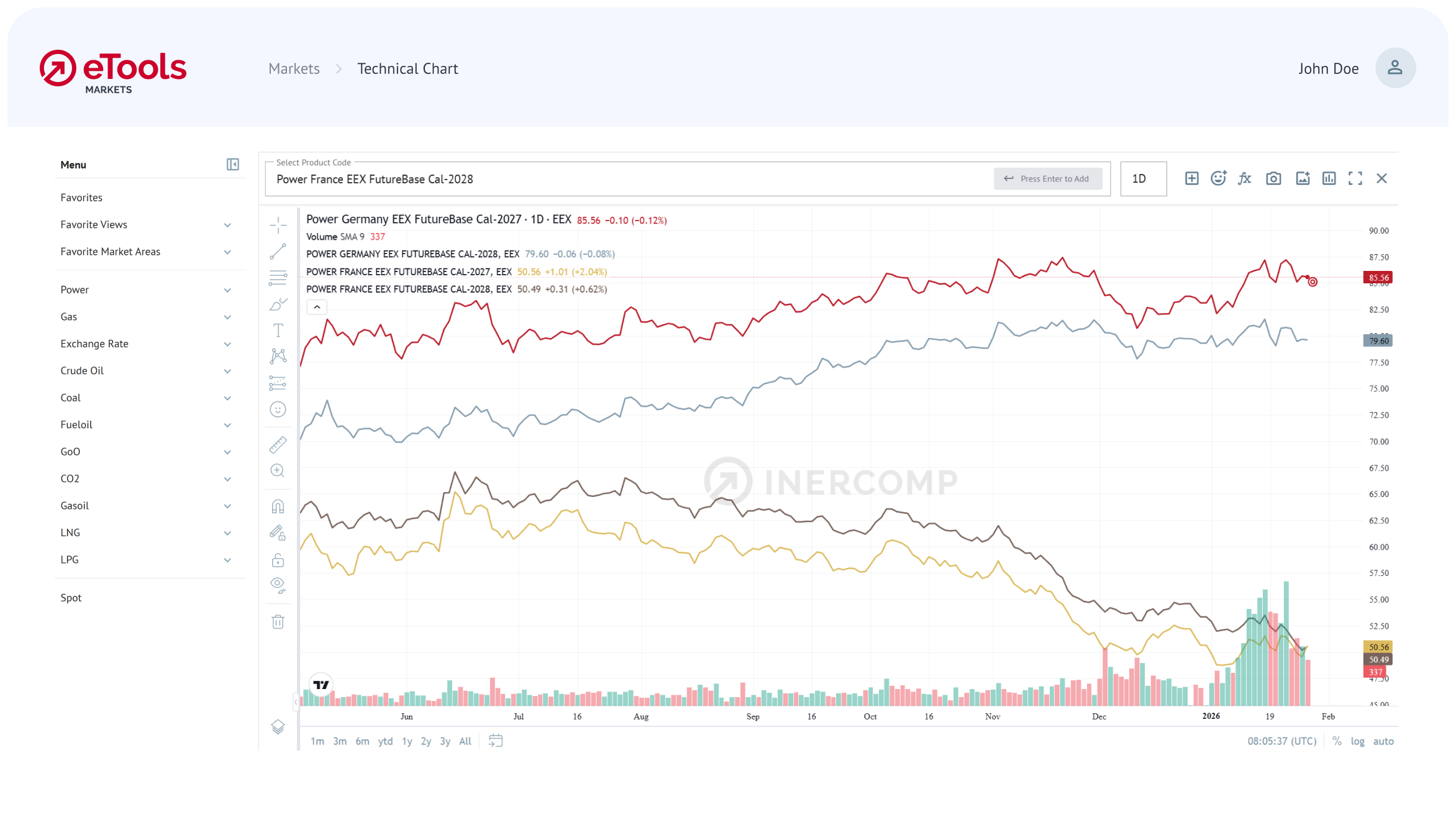
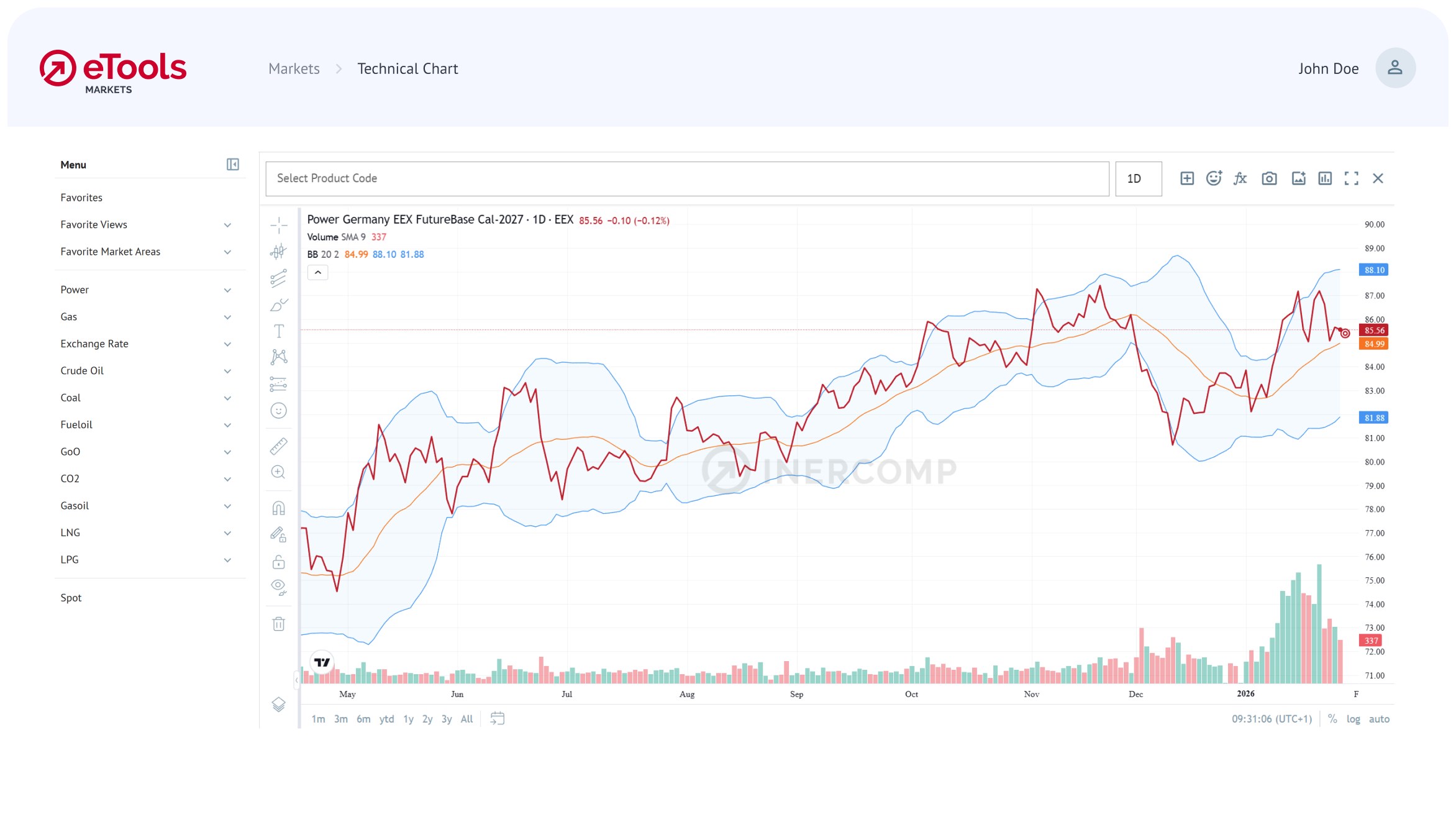
Add technical chart indicators

Include moving averages, RSI and more for extra context. Keep the view clean when you don’t need them.

Data Feeder

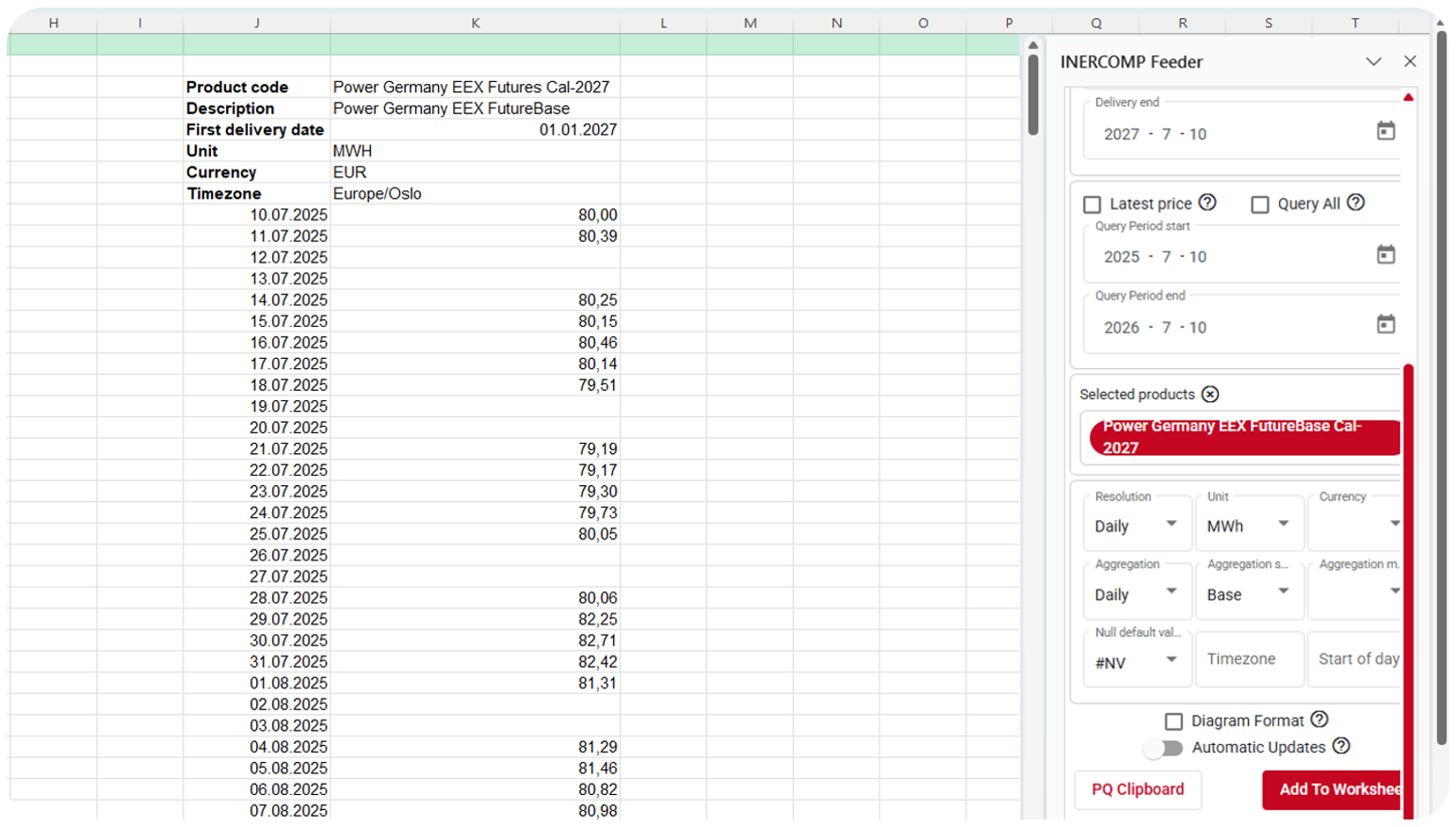
Load time series directly into Excel

The data feeder brings price series straight into your workbook: select market, product and time range, click and the values appear in the cells. No copy-paste. Alternatively, export views from the browser, connect your systems via API or use Power Query.

Your benefits

One place for
your key prices

  • Avoid switching between tools and formats.
  • Give your team access where they work: in the browser, in Excel or in their own system.

Fewer mistakes,
more confidence

  • Reduce manual effort and copy/paste errors.
  • Ground your hedging, pricing and internal reporting in clear market context.

Calm overview,
less noise

  • See what matters at a glance.
  • Focus only on relevant information and avoid data overload.

Ready for a deep dive?

Let’s discuss your use case and setup. See eTools examples and get answers to your questions in one session.

inercomp_etools_markets_logo_RZ-rgb

FAQ

  • Markets covers power, natural gas, coal, oil, CO2 and Guarantees of Origin (GoO), with spot and forward prices where available. The exact market list is shared in the demo/offer.

  • Yes, we cover both spot and forward prices for all price zones available.

  • Yes. API access is available for integration into BI or internal tools.

  • Yes. You can export PDF reports and a standard Excel file with all calculated time series.